IEM gaming earbuds deliver clear positional audio with low delay. The article explains what iem gaming earbuds do, why they matter for competitive play, and how players pick the right pair. It lists key features, shows real-world uses, and gives a testing checklist. Readers get direct, usable advice for choosing iem gaming earbuds that match their hardware and budget.

Key Takeaways
- IEM gaming earbuds offer clear positional audio and low latency, crucial for competitive play and precise in-game sound cues.
- Prioritize low latency, driver type, fit, mic quality, and codec support when selecting iem gaming earbuds to enhance gaming performance.
- A secure fit with the right ear tips improves bass, blocks ambient noise, and maintains audio clarity during intense sessions.
- Different budget tiers of iem gaming earbuds cater to diverse needs, from entry-level reliability to high-end premium features.
- Testing earbuds with actual gaming setups and using checklists ensures the right match for comfort, sound quality, and device compatibility.
- Wired iem gaming earbuds generally provide the lowest latency, while wireless options require checking for modern codecs to minimize delay.
What Are IEM Gaming Earbuds And Why They Matter For Competitive Play
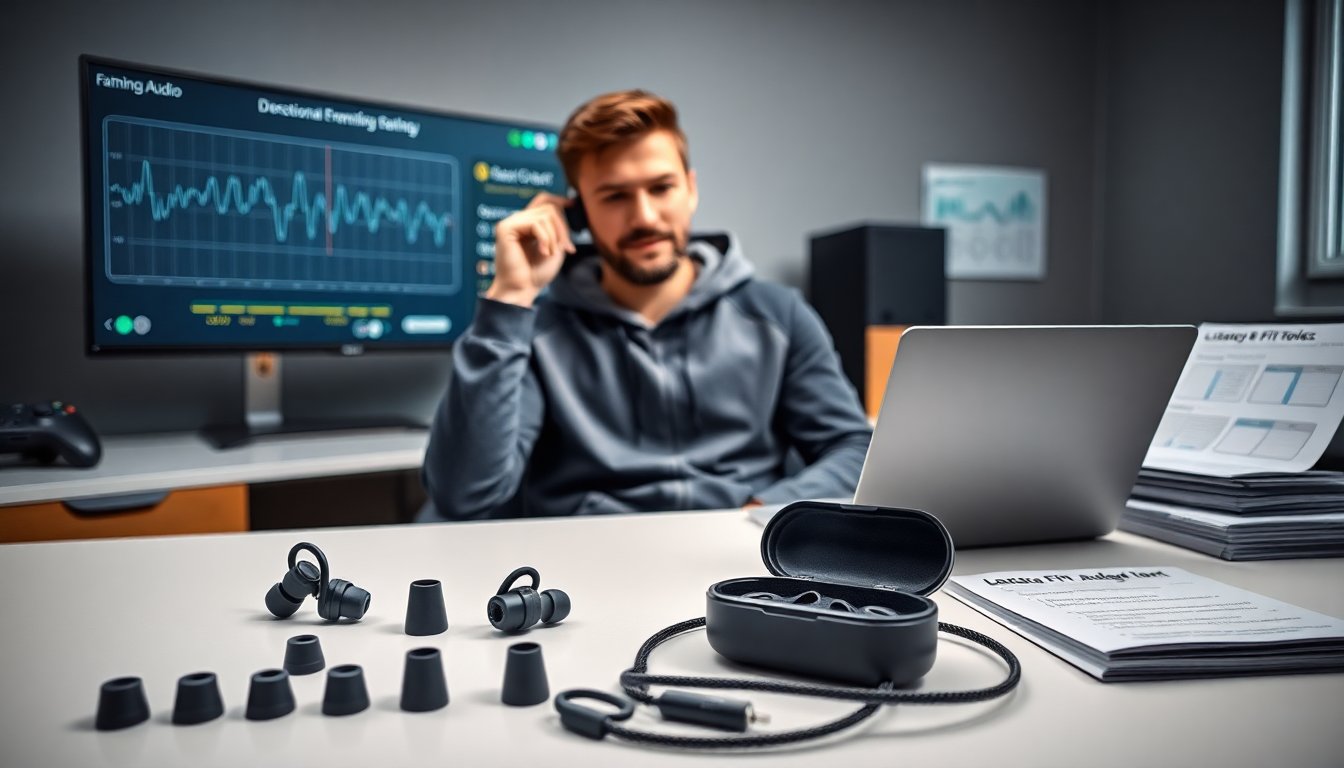
IEM gaming earbuds are in-ear monitors tuned for gaming. They place drivers close to the ear to improve detail and isolation. Players choose iem gaming earbuds for clearer footsteps, faster cue recognition, and less ambient noise. Competitive players value low latency and a tight soundstage. Streamers and casters prefer compact gear that travels. Reviews and lab tests often compare response and imaging. For hardware context, sites that run detailed hardware reviews can help players compare measurements and benches when they shop. The role of fit matters too. A secure seal improves bass and blocks crowd noise. Poor fit reduces clarity and can add perceived latency. Teams and pro players often test multiple tips and cable setups until they find a match. Makers now ship gaming-tuned IEMs with different tip sizes and foam options to help fit.
Key Technical Features To Prioritize (Latency, Drivers, Fit, Mic, And Codec Support)
Latency defines how fast audio reaches the ear after the game sends it. Players should choose iem gaming earbuds with low end-to-end delay. Wired connections usually give the lowest latency. Wireless models can reach low latency with modern codecs, but buyers must confirm codec support. Drivers convert electrical signals into sound. Single dynamic drivers give strong bass and simple tuning. Balanced armature drivers give detail and clarity. Hybrid designs combine both drivers to balance bass and mids. Fit affects frequency response. A tight seal increases bass and reduces outside noise. The mic changes voice clarity for team chat. Inline mics usually offer decent clarity for mobile play. Detachable or boom mics provide clearer voice capture on PC or console. Codec support matters for wireless options. Players should check for low-latency profiles and wideband voice codecs. For practical recommendations and model lists, a dedicated gaming earbuds guide offers hands-on notes and comparisons.
Real-World Use Cases: Multiplayer FPS, Mobile Esports, Console Hybrid Setups, And Travel
Multiplayer FPS players need pinpoint directionality. IEM gaming earbuds help players hear enemy movement and gunfire direction. Mobile esports competitors prefer lightweight earbuds that pair quickly and fit under helmets. They often favor wired USB-C or low-latency wireless modes. Console hybrid setups use earbuds with a mixer or controller chat adapter. Players use earbuds for match audio while keeping a headset mic for voice. Streamers use IEM gaming earbuds for on-camera comfort and consistent monitoring. Travel players need compact gear that reduces plane noise and fits in pockets. IEMs reduce carry weight and fit into small cases. A casual player who also records content often picks an iem gaming earbuds model with detachable mic or a separate lavalier for voice work. Tech sites that publish setup tutorials and gear workflows show common configurations for laptops and consoles and can help players set audio routing.
How To Choose The Right IEMs For Your Setup — Budget Tiers, Fit Tips, And Testing Checklist
Start with a budget tier. Entry-level IEMs give good value for under $50. Mid-tier models often cost $50–$150 and add better drivers and cases. High-end models exceed $150 and offer premium components and accessories. Players should match price to use case. Mobile players might prefer value models with strong battery life or wired reliability. Fit tips help avoid returns. Test three tip materials and sizes. Foam tips usually improve isolation. Silicone tips often give brighter treble. Wear the earbuds for 30–60 minutes to check comfort and fatigue. Testing checklist keeps the choice objective. Test for latency with an audio-video sync file and a controller. Test for directional cues using a sound demo that pans left and right. Test the mic with a teammate in a live match. Test on the actual device the player will use: phone, PC, or console. Check wiring and connectors: some devices need adapters, and some controllers mute inline mics. Read independent gear reviews and measurement guides to confirm claims. A well-regarded hardware site provides benchmarks and tear-downs that reveal build quality and component choices. Finally, consider warranty and replacement tips. Brands that include extra tips and a solid warranty reduce long-term costs.