Building the best gaming setup in the world isn’t about throwing unlimited cash at the latest hardware. It’s about understanding what actually moves the needle for your gaming style, whether you’re chasing esports glory or just want to crush single-player campaigns without stuttering. In 2026, the gaming hardware landscape has matured significantly. Ray tracing is standard, refresh rates have stabilized around 240Hz for competitive play, and the gap between a $1,500 PC and a $3,000 PC is mostly diminishing returns. What separates an elite gaming setup from a mediocre one isn’t always raw specs, it’s synergy. A 360Hz monitor paired with a mid-tier GPU is a waste. A high-end system with a creaky chair and cable spaghetti ruins the experience. This guide breaks down exactly what makes a world-class gaming setup, how to allocate your budget smartly, and how to avoid the pitfalls that tank performance or comfort.

Key Takeaways
- The best gaming setup in the world prioritizes synergy between components—a 360Hz monitor paired with a mid-tier GPU is wasted investment, while a high-end system with poor ergonomics ruins the experience.
- A world-class gaming setup balances three pillars: performance (hitting target frame rates), responsiveness (low input lag and monitor response time), and comfort (proper chair, desk height, and ergonomics to prevent injury during long sessions).
- For 2026 gaming, 1440p at 144Hz with an RTX 4070 Super or RX 7800 XT represents the practical sweet spot—hitting 80-100 FPS with ray tracing enabled while avoiding diminishing returns of 4K or ultra-high refresh rates.
- Smart budget allocation for a gaming setup follows a 50-20-15-15 rule: dedicate 50% to GPU, 20% to CPU, 15% to monitor, and 15% to peripherals and environment—overspending on aesthetics like RGB lighting or expensive chairs won’t improve actual gaming performance.
- Maintenance and environment matter as much as hardware: regular dust cleaning every three months, proper airflow clearance, room temperature management, and ergonomic desk setup prevent thermal throttling, extend hardware lifespan, and reduce injury risk.
- A mid-tier $1,500-2,400 gaming setup from 2026 remains relevant through 2028 with minimal upgrades, making it a smarter investment than chasing premium specs for diminishing performance gains.
What Defines a World-Class Gaming Setup
A world-class gaming setup has three pillars: performance, responsiveness, and comfort. Performance means hitting your target frame rate and visual fidelity without compromise, whether that’s 60 FPS at max settings in 4K or 240+ FPS in competitive shooters at 1080p. Responsiveness is the feel: low input lag, high polling rates, crisp monitor response times. Comfort is often overlooked, but it’s the difference between a four-hour gaming session feeling great and feeling like you’ve been tortured.
Pro players and content creators obsess over responsiveness because even 5ms of added latency costs matches. Casual gamers prioritize visual fidelity and immersion, they want ray-traced shadows and HDR, not necessarily 300 FPS. A world-class setup adapts to what matters most to you.
The secondary consideration is futureproofing. 2026 builds should handle 2028 games reasonably well, not get obliterated the moment a new AAA title drops. That means adequate VRAM, sufficient power headroom, and a motherboard with upgrade potential. It also means choosing platforms wisely: PC offers flexibility and upgrade paths, consoles offer standardization and optimization, and mobile offers accessibility. The best setups often blend multiple platforms.
Essential Hardware Components for Peak Performance
The foundation of any gaming setup rests on four components: GPU, CPU, RAM, and storage. Get these wrong, and everything else is peripheral, literally and figuratively.
GPU and CPU: The Powerhouse Duo
The GPU is your primary frame generator. For 1440p at 144Hz, an RTX 4070 Super or RX 7800 XT is the practical minimum in 2026. For 4K, you’re looking at RTX 4080 or RTX 5080 territory, real talk, 4K gaming at high frame rates remains expensive. Mobile and console players shouldn’t sleep on DLSS 4 and FSR 3.1, which use AI upscaling to hit higher frame rates without native performance cost.
The CPU feeds the GPU. A Ryzen 7 9700X or Intel Core Ultra 9 285K handles current-gen gaming comfortably. The bottleneck myth is overblown, a slightly weaker CPU with a strong GPU works fine in most games. Where CPU matters: sim racing, strategy games, and streaming. If you stream while gaming, jump to a 9900X or equivalent.
Pro players reference specific sensitivity and hardware configs from ProSettings, which tracks what the actual esports competitors are using. That data is empirical, not marketing hype. You’ll notice the high-end competitive scene still favors 1440p over 4K because the frame rate advantage matters more than pixel density.
Budget-conscious builders can still grab viable 1440p setups with an RTX 4070 or RX 7700 XT and a mid-range CPU. You’ll hit 100+ FPS in most modern titles, which is the sweet spot for console-equivalent fidelity with better responsiveness.
RAM, Storage, and Power Supply Fundamentals
16GB of DDR5 RAM is the minimum for gaming in 2026: 32GB is the sensible standard. Fast kits (6000MHz+) give marginal FPS gains in gaming, maybe 3-5% uplift, but smooth out frame pacing in CPU-heavy scenarios. Don’t overspend on speed: 5600MHz DDR5 is the practical sweet spot.
Storage is a solved problem if you’re willing to spend. A 1TB PCIe 4.0 or 5.0 SSD for OS and core titles, plus a secondary 2TB drive for the library, works fine. Game installation times are negligible now, so don’t panic if you need external storage. Just keep actively played titles on fast drive for load times that don’t hurt.
Power supply gets skipped too often. A 850W 80+ Gold PSU is the baseline for high-end rigs: 1000W isn’t overkill if you’re running RTX 4090 or dual-GPU rigs. Cheap PSUs fail, take hardware with them, and void warranties. Spend $120-180 here and sleep soundly.
Tom’s Hardware GPU benchmarks remain the go-to for real performance data. Don’t guess, verify frame rates on your target resolution and settings before buying.
Displays and Visual Technology That Matter
Your monitor is the window between your rig and your brain. A poor monitor tanks even a $3,000 PC setup.
Monitor Specifications for Competitive and Casual Gaming
Refresh rate and response time are non-negotiable. For competitive shooters (Valorant, CS2, Apex Legends), 240Hz is the bare minimum: 360Hz if you’re genuinely competitive. For casual single-player or strategy games, 144Hz is fine, 60Hz is tolerable but outdated for any modern gaming in 2026.
Response time matters because of perceived blur. A 1ms response time IPS panel (like recent ASUS or LG offerings) beats a 0.5ms TN panel in practice due to pixel overshoot. Don’t chase sub-1ms specs: they’re marketing. Aim for 1-4ms gray-to-gray.
Panel type: IPS wins for color accuracy and viewing angles. VA wins for contrast ratio (helpful for dark games). TN is legacy now except in ultra-high refresh niche monitors. For gaming in 2026, grab a 1440p 144Hz IPS or a 1080p 240Hz IPS, depending on your GPU.
HDR, Ray Tracing, and Display Technology Trends
HDR is finally mature. Games like Cyberpunk 2077, S.T.A.L.K.E.R. 2, and Alan Wake 2 showcase it beautifully. An HDR monitor (1000+ nits peak brightness, quantum dot or mini-LED backlight) transforms dark games and cinematic scenes. It’s not essential, but it’s noticeable. Most gaming monitors under $400 won’t have true HDR: budget $500+ if it’s a priority.
Ray tracing is standard now. Every GPU worth buying has decent ray tracing. NVIDIA’s DLSS 4 with frame generation is the wild card, it doubles frame rates while maintaining quality. AMD’s FSR 3.1 is catching up. Intel’s XeSS works but lags behind. If frame gen matters to you, RTX is the safer choice.
Alternatively, Hardware Times benchmarks break down real performance deltas between HDR, ray tracing, and traditional rendering. Numbers don’t lie, if your game of choice scales better with ray tracing off, disable it. Pro players almost always do.
Mini-LED monitors are gaining traction for gaming because of superior contrast and local dimming. They’re pricier ($600-1200), but for HDR gaming in dark rooms, they’re transformative.
Peripherals and Accessories for Gaming Mastery
Great peripherals are where casual gamers lose consistency and where esports players live. The margin between using a mid-tier mouse and a tuned high-end mouse is real in precise aiming games, it’s not huge, but it’s measurable.
Keyboards, Mice, and Headsets That Make a Difference
Keyboards: Mechanical vs. membrane doesn’t matter for gaming anymore, both are fast enough. What matters is key rollover (8-key for multiplayer is mandatory), actuation type (linear switches for gaming, tactile for typing), and polling rate (8000Hz is standard now). Gaming keyboards under $80 are often better than $200 luxury boards. Avoid RGB overkill: it’s a distraction and raises price.
Mice: This is where you spend. A 16,000 DPI sensor is baseline. Weight (lighter = faster micro-movements), shape (fingertip vs. palm grip), and cable/wireless quality matter. Esports mice like the Logitech G Pro X2, Razer Viper V3 Pro, or Finalmouse UltralightX are benchmarks. They’re $70-130. Budget mice work, but a good mouse noticeably improves aim in FPS games and reduces hand fatigue over long sessions.
Headsets: Open-back gaming headsets beat closed-back for positional audio in competitive games (you can hear footsteps above/below). A solid mid-range headset (Sennheiser Game One, SteelSeries Arctis Nova Pro, HyperX Cloud Alpha) costs $100-150 and outperforms $300+ brand-name gaming headsets by pure audio quality. Don’t confuse marketing with performance, reviewers measure soundstage, frequency response, and isolation. Check those metrics, not just brand names.
Ergonomics, Lighting, and Desk Setup Optimization
Ergonomics is underrated until your wrist, back, or neck hurts. A proper gaming chair (Herman Miller Aeron, Secretlab Titan, or solid budget alternative at $200-300) and desk at elbow height prevent injury and stabilize aim. Cheap chairs collapse in six months: spend here.
Monitor height matters: top of screen at eye level, 24-30 inches away. Keyboard and mouse at elbow height. These micro-details compound over 1,000+ hours of gaming. Carpal tunnel and back pain will destroy your hobby faster than any hardware failure.
Lighting is pure preference, but ambient lighting (bias lighting behind the monitor, soft room lighting) reduces eye strain. Avoid bright monitors in dark rooms, the contrast causes fatigue. RGB lighting on peripherals doesn’t improve performance: it’s purely aesthetic. If it makes you happy, fine. If you’re chasing FPS gains, it’s wasted money.
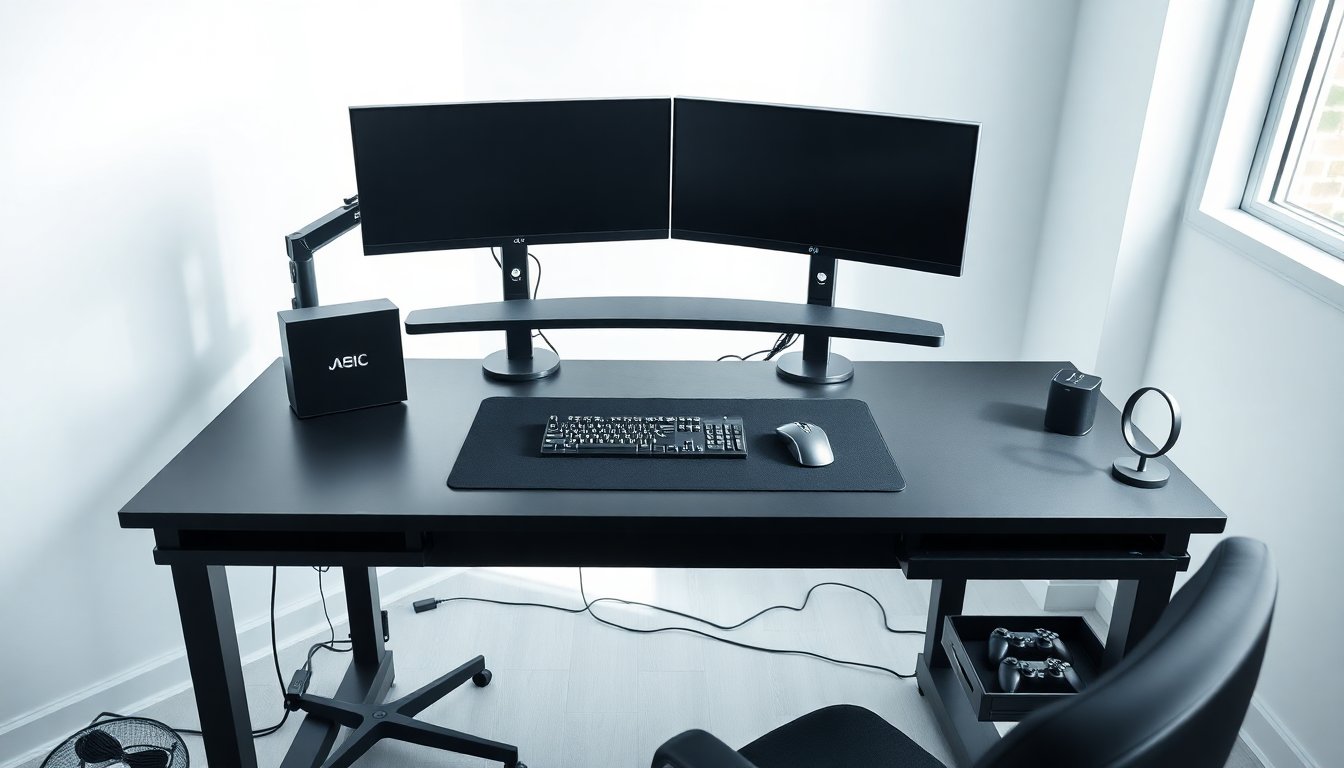
Cable management is functional, not aesthetic. Properly routed cables prevent desk clutter, reduce interference, and make upgrades easier. Use velcro straps or clips, not tape. Run cables behind monitors or through cable trays.
Console and Mobile Gaming Considerations
PC dominates esports and competitive gaming, but consoles and mobile fill gaps.
PlayStation 5 and Xbox Series X Integration
PS5 and Xbox Series X are still the sweet spot for console gaming in 2026. Both target 4K/60 FPS or 1440p/120 FPS depending on game. Performance Modes in most AAA titles lock 60 FPS at 1440p: Fidelity Modes drop to 30 FPS at 4K. Smart players choose Performance.
Exclusive titles matter: Spider-Man, God of War, and Final Fantasy VII Remake on PlayStation: Halo Infinite, Starfield, and Forza on Xbox. Neither ecosystem has a clear performance advantage anymore, the gap from last gen has closed.
Backward compatibility works well. Your PS4 library plays on PS5 with minor hitches. Xbox’s Smart Delivery system auto-upgrades cross-gen titles. This matters for value, your existing library gains value on new hardware.
If you own both PS5 and high-end PC, you’ve covered 90% of gaming scenarios. Add a controller dock to your PC setup: playing third-person games with a gamepad is superior to KB+M anyway.
Mobile Gaming and Cross-Platform Setup
Mobile gaming in 2026 isn’t just Candy Crush anymore. Titles like Genshin Impact, Honkai: Star Rail, and Call of Duty: Warzone Mobile run on flagship phones (iPhone 16 Pro, Samsung Galaxy S25) at 60+ FPS with respectable graphics. For casual/gacha gaming, mobile dominates.
Cross-platform play is standard: play Fortnite on your PS5 and pick up a match on your iPhone. Your level, battle pass, and cosmetics carry over. For esports titles, PC is still king because of mouse precision, but console integration is seamless.
Mobile doesn’t replace console or PC gaming for serious players, but it extends your library. A smartphone is your fifth gaming platform. Don’t dismiss it for commute gaming or when traveling.
Setup consideration: a phone stand on your desk or a controller clip on your phone bridges mobile and desk setups. Minimal investment, unexpected value.
Budget Tiers: Finding Your Perfect Match
Not everyone needs a $3,000 setup. Here’s how to allocate budget intelligently.
Entry-Level, Mid-Tier, and Premium Gaming Builds
Entry-Level Budget: $800-1,200
Target: 1080p/144Hz gaming at high settings.
- GPU: RTX 4060 Super or RX 7600 XT (~$250-300)
- CPU: Ryzen 5 7600X or Intel Core i5-14600K (~$200)
- RAM: 16GB DDR5 5600MHz (~$60)
- SSD: 1TB PCIe 4.0 (~$80)
- Monitor: 1080p 144Hz IPS (~$200-250)
- Peripherals: $80 keyboard, $60 mouse, $100 headset (~$240)
- Chair & Desk: $300-400
- PSU: 650W 80+ Bronze (~$70)
This setup hits 100+ FPS in Cyberpunk 2077 at medium-high settings. It’s viable for any game at reasonable settings. The limiting factor is the GPU: upgrading it later pays dividends.
Mid-Tier Budget: $1,800-2,400
Target: 1440p/144Hz with ray tracing, or 1080p/240Hz competitive.
- GPU: RTX 4070 Super or RX 7800 XT (~$500-600)
- CPU: Ryzen 7 9700X or Intel Core Ultra 9 (~$450)
- RAM: 32GB DDR5 6000MHz (~$120)
- SSD: 1TB PCIe 5.0 + 2TB secondary (~$180)
- Monitor: 1440p 144Hz IPS (~$300-400)
- Peripherals: $120 keyboard, $100 mouse, $150 headset (~$370)
- Chair & Desk: $400-600
- PSU: 850W 80+ Gold (~$130)
This is the professional-grade setup. It handles all modern games at 1440p high/ultra with ray tracing, hitting 80-100 FPS. It’s the build competitive players upgrade to from entry-level. Futureproofing is solid, it’ll run 2028 AAA titles comfortably.
Premium Budget: $3,000-5,000+
Target: 4K/60Hz high/ultra, or 1440p/240Hz with maxed settings and frame gen.
- GPU: RTX 5090, RTX 4090, or RX 7900 XTX (~$1,500-2,000)
- CPU: Ryzen 9 9950X or Intel Core i9-14900K (~$600-700)
- RAM: 64GB DDR5 7000MHz+ (~$250)
- SSD: 2TB PCIe 5.0 + 4TB secondary (~$400)
- Monitor: 4K 144Hz mini-LED HDR or 1440p 360Hz (~$1,000-1,500)
- Peripherals: $200+ keyboard, $150+ mouse, $250+ headset (~$600)
- Chair & Desk: $1,000-1,500
- PSU: 1200W 80+ Platinum (~$250)
- Cooling: Custom loop or high-end AIO (~$300)
This is the streaming, content creation, and competitive esports tier. It crushes any game at maximum settings. It’s overkill for single-player gaming, but it’s the setup that never bottlenecks. Diminishing returns are real, a $3,000 PC plays the same games as a $5,000 PC, just with slightly lower frame rates or minor setting tweaks.
The smart play: pick your target resolution and refresh rate, then allocate 50% of budget to GPU, 20% to CPU, 15% to monitor, and 15% to everything else. Overspending on chairs or RGB doesn’t improve gaming.
Room Setup, Cooling, and Maintenance
A great rig in a trash environment is wasted potential.
Airflow, Lighting, and Cable Management
Airflow keeps thermals in check. A tower with three intake fans and two exhaust fans maintains optimal GPU and CPU temperatures. Dust filters prevent buildup. Every three months, blow out dust from fans and heatsinks with compressed air. This single maintenance task prevents thermal throttling and extends hardware lifespan.
Positioning matters: don’t put your tower against a wall or inside a cabinet. Leave 4-6 inches of clearance on all sides, especially exhaust ports. A tower on a desk is better than on the floor (dust intake), but under-desk placement with cable routing is more practical.
Room temperature affects thermals. A 68°F room vs. 75°F room sees 5-7°C difference in idle GPU temps. Keep your gaming room cool. If summer heat becomes an issue, consider a small desk fan or move the tower.
Lighting priorities: monitor bias lighting (LED strip behind the monitor at diffuse white 5000K) reduces eye strain. Ambient room lighting prevents eye fatigue from bright monitor in dark room. Avoid neon RGB everywhere, it’s distracting and raises strain. Functional lighting wins.
Cable management seems cosmetic but isn’t. Bundled cables behind the monitor, routed through cable trays under the desk, and secured with velcro prevent tripping hazards, reduce electromagnetic interference, and make future upgrades (new GPU, new drives) straightforward. Spend 30 minutes on this once: it pays off.
Temperature targets: GPUs should idle under 40°C and max out under 80°C (most modern cards throttle at 83-87°C). CPUs should idle under 45°C and max under 95°C. If you’re hitting higher numbers, check your case airflow, reapply thermal paste on the CPU, or clean heatsinks.
Noise is overlooked. A quiet setup is worth $200 in case and cooling upgrades. Quiet cases (Lian Li Lancool, Fractal Design Meshify) with quiet fans (Noctua, be quiet.) make gaming relaxing instead of listening to a jet engine. Fan curves matter, set them to ramp up gradually rather than spike at threshold temperatures.
Conclusion
The best gaming setup in the world isn’t the most expensive, it’s the one that matches your needs and is maintained properly. A $1,500 mid-tier PC that gets regular maintenance and runs with optimized settings outperforms a $3,500 PC that’s neglected and running defaults.
Start with fundamentals: GPU and monitor are your foundation. Everything else layers in based on what you actually do, streaming adds CPU demands, competitive esports adds mouse/monitor focus, casual gaming adds comfort demands. Avoid the trap of chasing specs that sound good but don’t impact your actual play.
Upgrade incrementally. A solid mid-tier setup in 2026 remains relevant through 2028. Your GPU ages the fastest: CPUs stay relevant for 3-4 years. Monitors last 5+ years if maintained. A gaming chair is an investment, not disposable.
Finally, futureproofing is overrated. Buy for today’s games with headroom for 2027 releases, not 2030 speculation. Technology shifts faster than predictions. A 2026 RTX 4070 Super setup will crush every game released this year and most of next year. That’s enough. Everything beyond that is diminishing returns and marketing.